Chest Simulator1.0
Publisher Description
Chest Simulator for Clash Royale allows you to simulate and open all chests in Clash Royale for free! In this app, you can try to open different chests and see whether you are fortunate enough to get some epic or even legendary cards.
Features:
-Simulator of all 7 chests: Wooden, Crown, Silver, Golden, Magical, Giant & Super Magical
-Info & stats of all 54 cards, including Sparky, Lava Hound, Miner, Guard, Fire Spirits & Furnace
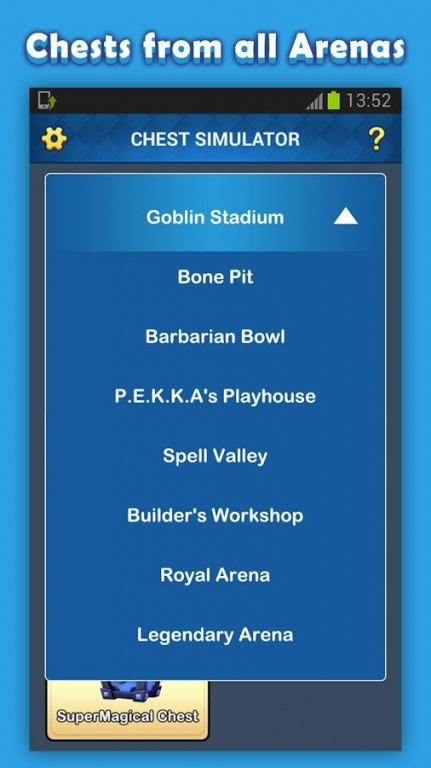
-All 8 arenas included from Goblin Stadium to Legendary Arena
-No internet required
Wonder what cards might be waiting for you in a super magical chest? Download Chest Simulator for Clash Royale to see for yourself!
Disclaimer
This content is not affiliated with, endorsed, sponsored, or specifically approved by Supercell and Supercell is not responsible for it. For more information see Supercell’s Fan Content Policy:www.supercell.com/fan-content-policy.
About Chest Simulator
The company that develops Chest Simulator is Cloudcity. The latest version released by its developer is 1.0. This app was rated by 1 users of our site and has an average rating of 4.0.
To install Chest Simulator on your Android device, just click the green Continue To App button above to start the installation process. The app is listed on our website since 2016-06-20 and was downloaded 85 times. We have already checked if the download link is safe, however for your own protection we recommend that you scan the downloaded app with your antivirus. Your antivirus may detect the Chest Simulator as malware as malware if the download link to org.cloudcity.chestsimulatorforcr is broken.
How to install Chest Simulator on your Android device:
- Click on the Continue To App button on our website. This will redirect you to Google Play.
- Once the Chest Simulator is shown in the Google Play listing of your Android device, you can start its download and installation. Tap on the Install button located below the search bar and to the right of the app icon.
- A pop-up window with the permissions required by Chest Simulator will be shown. Click on Accept to continue the process.
- Chest Simulator will be downloaded onto your device, displaying a progress. Once the download completes, the installation will start and you'll get a notification after the installation is finished.
